Access Reports
Access Reports Configuration
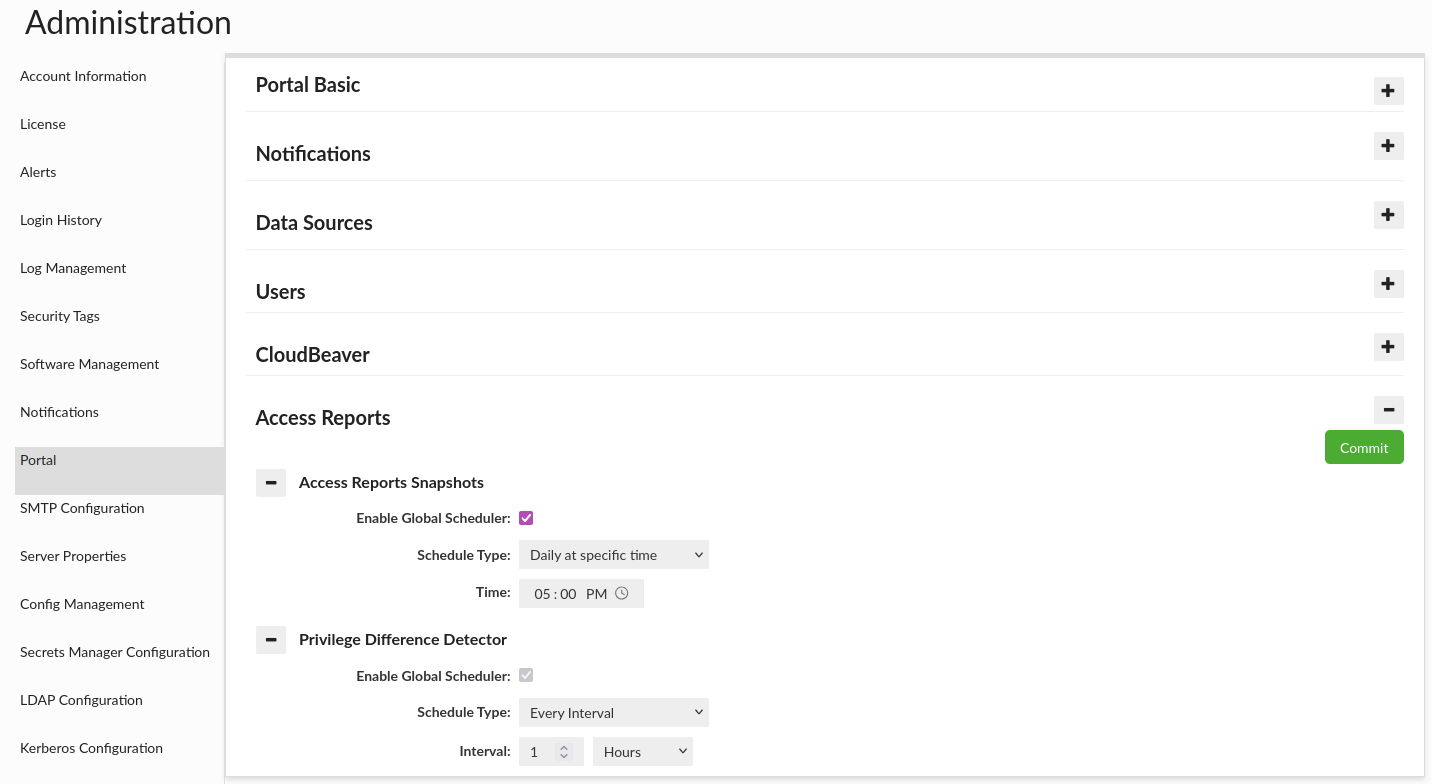
This tab helps detect permission changes related to privileged access and keeps an audit trail of what changed and when by generating periodic access reports. The access reports are based on the existing database browser reports, where user can define the same set of filters. The description of how the report is generated and what is the feature to be able to work correctly can be found here.
Access Reports Snapshots
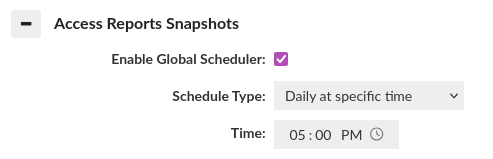
This section allows configuring regular permission snapshots. By default, disabled.
How do the Access Reports Snapshots work?
-
At the scheduled time, the cron job automatically starts and generates a snapshot for each configured source using the access report.
-
Each snapshot captures the current access rights for the source at the moment of execution, applying the filters defined for that Source.
-
Snapshots are stored as historical records, allowing you to review how permissions looked at a specific point in time and track changes across snapshots.
Note: The access report snapshots will be performed only for sources that have enabled this option. Look here.
Privilege Difference Detector
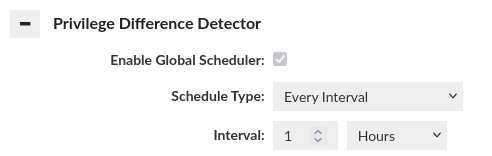
This section allows configuring the privilege difference detector. It is always enabled. By default, an hourly cron job runs for each configured source.
How does the Privilege Difference Detector work?
-
The Reaudit Role option in Roles Management allows marking selected roles as privileged.
-
When a user requests a session with a role marked as Reaudit Role, the system ensures that an access report covering the period since the last cron run is available for the data source. If the previous report is not available — for example, during the first app run, after the app has been offline longer than the cron interval, or if the cron job failed — the system generates a new access report. Until the report is available, new sessions must wait to ensure there are no gaps in the audit.
-
The cron job generates a single access report for the data source and compares it with the previous report to detect permission changes.
-
If a difference in privileges is detected, all users with an active session during the affected period are marked as suspicious. The permission-change diff is currently set to TBD while the access-report functionality is under development.
Global Scheduler Configuration
Enable Global Scheduler
Enable Global Scheduler: enables the global scheduler. When the cron job triggers, it processes every configured source.
Schedule Type
Schedule Type: determines how often and when a task is executed. The following types are available:
Every Interval
Runs the task repeatedly at a fixed interval.
- Interval: A numeric value defining how many units of time should pass between executions (e.g.
8). - Interval Unit: The unit of time for the interval. Available options are
Minutes,HoursandDays.
Daily at Specific Time
Runs the task once a day at a specified time.
- Time: The time of day when the task should run (e.g.
5:00 PM).
Weekly on Specific Days
Runs the task on selected days of the week at a specified time. This type extends Daily at Specific Time by adding the ability to choose specific weekdays.
- Time: The time of day when the task should run (e.g.
5:00 PM). - Days: One or more days on which the task should run (e.g. Monday, Wednesday, Friday).
Sources
In the Data Source tab, it is possible to configure if the global scheduler should run for a source. More information here.
Data
The data are saved under the heimdall_audit_schema schema in below audit tables that store the following information:
heimdall_access_report_snapshot
- id: unique row identifier.
- data_source_name: name of the data source for which the report is generated.
- state: state of the access report generation:
- STARTED: the access report generation has started
- FAILED: the access report generation has failed
- FINISHED: the access report has been successfully generated
- time: the time when the state was reached.
- report_hash: hash of the generated access report (if in FINISHED state).
- access_report_json: full access report content in JSON format (if in FINISHED state). When the access report is the same as previous, then NO_CHANGES value is saved.
heimdall_access_report_privilege_difference
- id - unique row identifier.
- data_source_name: name of the data source for which the report is generated.
- state: state of the access report generation:
- STARTED: the access report generation has started
- FAILED: the access report generation has failed
- FINISHED: the access report has been successfully generated.
- time: the time when the state was reached.
- report_hash: hash of the generated access report (if in FINISHED state).
- access_report_json: full access report content in JSON format (if in FINISHED state). When the access report is the same as previous, then NO_CHANGES value is saved.
- difference: detected permission changes compared to the previous report (if in FINISHED state). Note: The feature is in progress, temporarily always TBD
- suspicious_users: users who had ongoing sessions during the time when the permission changes were detected (if in FINISHED state).
Information: The feature is in progress. The planned GUI will allow users to compare two access reports.